Desktop app, web and terminal UI
Desktop app (macOS)
comindly app [--index-dir …] opens the UI in its own window, like the Ollama app: the operating
system's WebKit, no browser and no bundled Chromium. The window shows a loading screen while the
index loads, then the UI from a private server on a random local port that only this window can
call. Links to other sites open in your browser.
Started from a terminal, it sees your shell's environment (AWS credentials for an S3 index). Linux and Windows: use the web UI.
Web UI
comindly ui --web [--port 7878] [--open] serves the same UI on 127.0.0.1 only. It prints a link
with an access token; open it once (or pass --open) and the browser keeps the token in a cookie,
so the plain address works as a bookmark afterwards. Other programs and web pages cannot call the
UI's API without it. The token is kept in ~/.config/comindly/ui-token; delete the file to issue a
new one.
- Overview: counts, the org map (repositories and the service contracts between them; click a repository to see what a change there can reach), a version slider to compare with earlier index versions, symbols per repository and version skew.
- Contracts: every route, queue, topic, bucket and table with its providers and consumers, filtered by type, by whether both sides are indexed, and by name.
- Ledger: records that need review (challenged, stale or orphaned, and unconfirmed machine records) and the full timeline. Add record writes a new one under your name; each record shows who wrote it and its review history; confirm, archive, invalidate or delete it. The symbol view has Add to the ledger with that symbol filled in.
- Conventions: measured conventions per repository and org-wide; add your own, edit or hide
measured ones (hidden ones can be restored).
/conventions?repo=<name>opens one repository. - Packages: internal packages, who publishes each, and the version every consumer pins, marked when it is behind the publisher (or ahead of the version in its source).
- Repositories: what is in the index, and where each repository lives on this machine. The index
records each repository's remote URL, so one indexed elsewhere shows no folder here with
Locate (point at your copy) and Clone (URL filled in); Scan a folder ticks the ones it
finds. comindly indexes all repositories together so cross-repo links stay complete, so Index now
waits until every indexed repository has a folder here, unless you choose to drop the missing ones.
Add a folder, scan a folder and tick the repositories you want (untick to drop one), or clone one by HTTPS or SSH URL with your own git access: your SSH key,
your git credential helper, or
GITLAB_TOKEN/GITHUB_TOKEN. When none of these gives access to an HTTPS repository, the app asks for an access token and hands it to git for that clone only; your credential helper (on macOS the keychain) keeps it for later fetches. Index now fetches each repository's default branch into comindly's own worktree (~/.cache/comindly/worktrees), so your folders and branches are never touched, rebuilds the index and shows its progress; every page then shows the new index. LLM summaries are opt-in per run. With Re-index automatically on (auto_index), the app checks every freshness interval whether a default branch moved on the remote (git ls-remote, nothing is downloaded) and re-indexes without LLM steps when one did. For a shared index built by CI, change the list there. - Settings: the index location (with a connection test), the team settings (shared LLM and embedding model), your own API key, the AWS profile for S3, your name on ledger records, and how often to check for a new index version. Changing the index location switches the UI without a restart.
- Connect: checks of this setup (as
comindly doctor), how to register the MCP server with Claude Code, Cursor, Codex or VS Code with this index's path filled in, hooks, and every MCP tool with a question that uses it. - Symbol view, opened from search, a link or a graph node: the dependency graph (dependents on the left, dependencies on the right), blast radius, the LLM summary and flow walkthrough when the index has them, contracts and recorded reasoning. Copy context for an agent copies what to read before changing it, with the team's records, as markdown.
What it looks like
The example company in examples/acme, indexed with comindly (scripts/screenshots.sh).
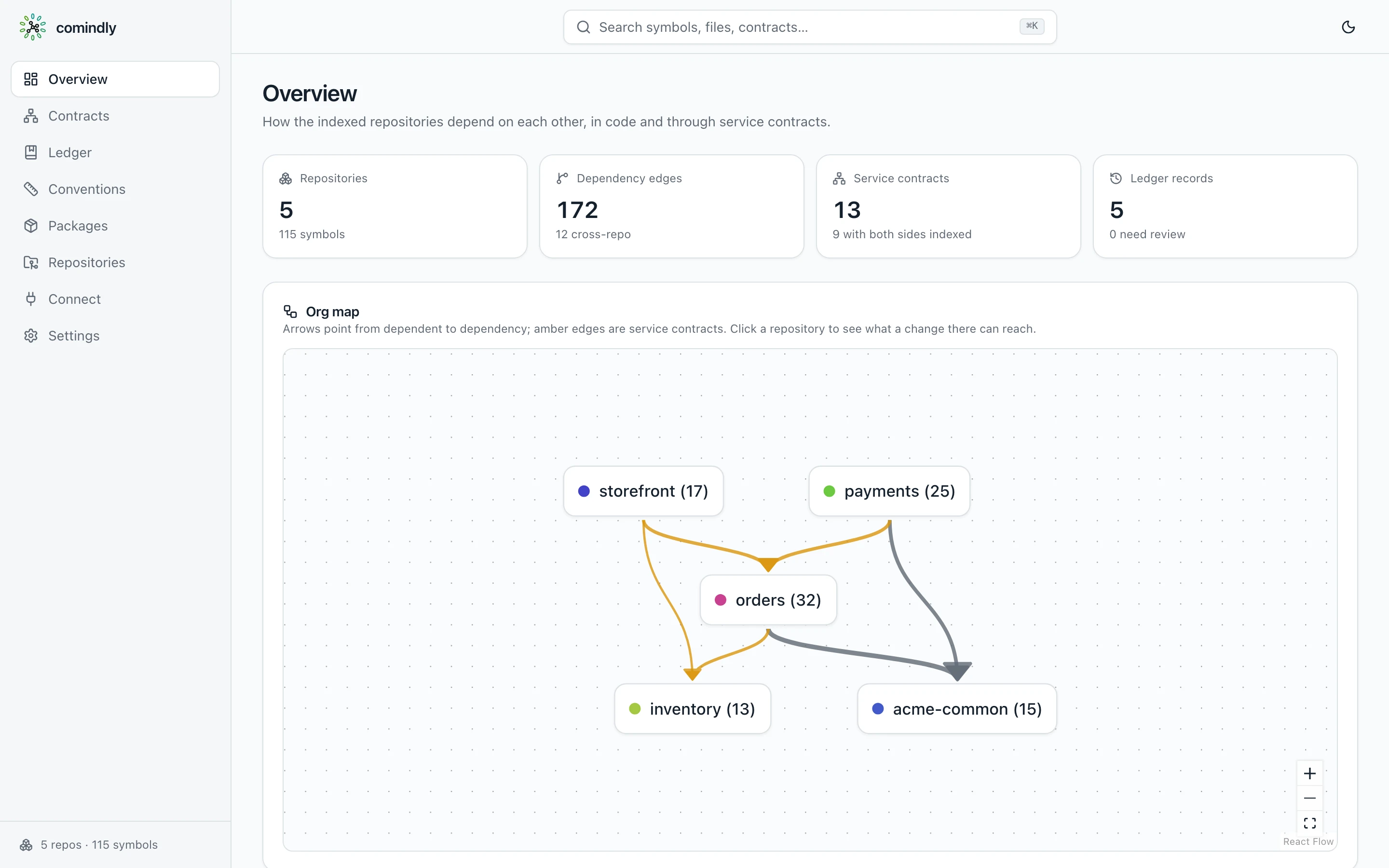
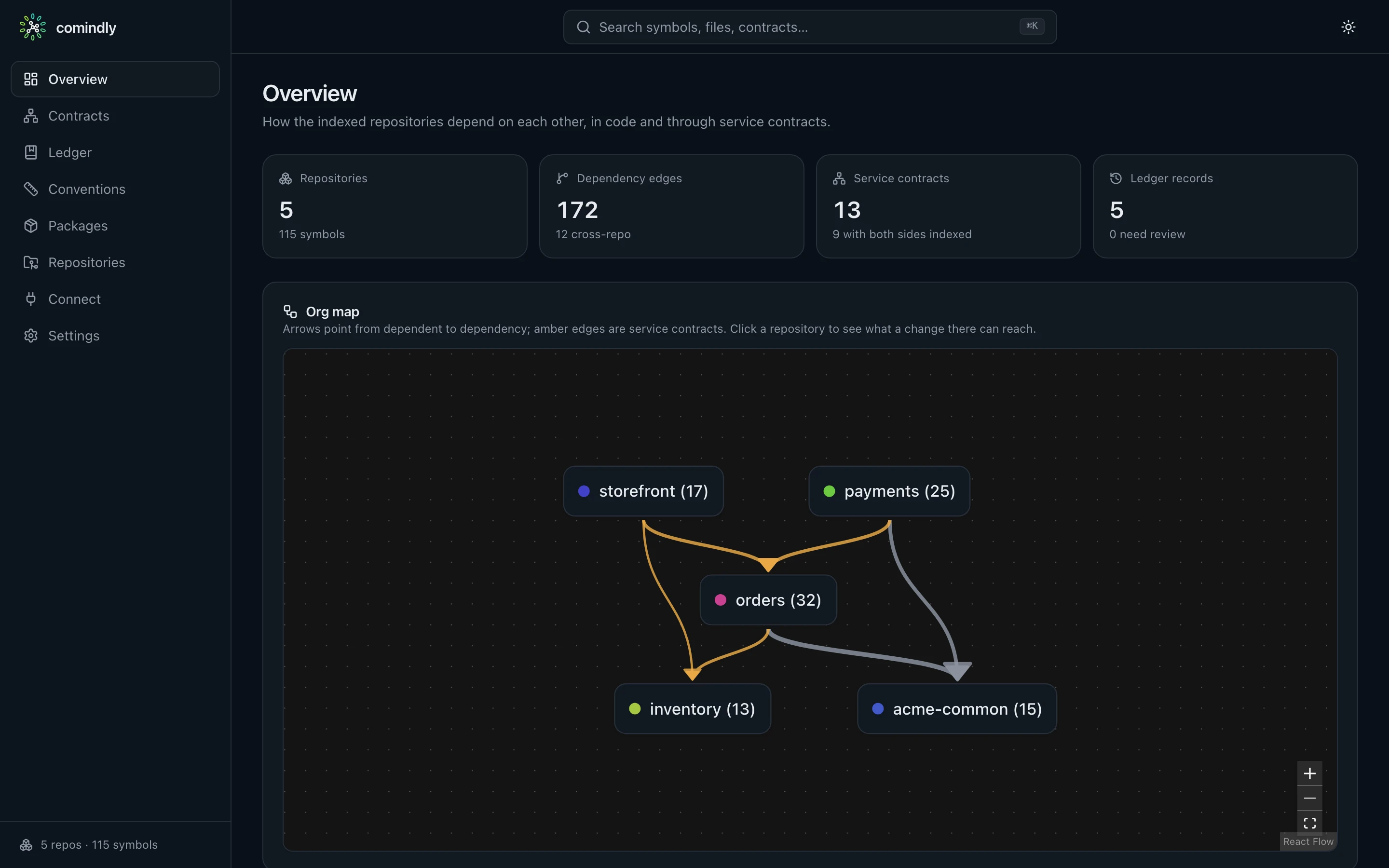
Overview: the org map with the service contracts between repositories
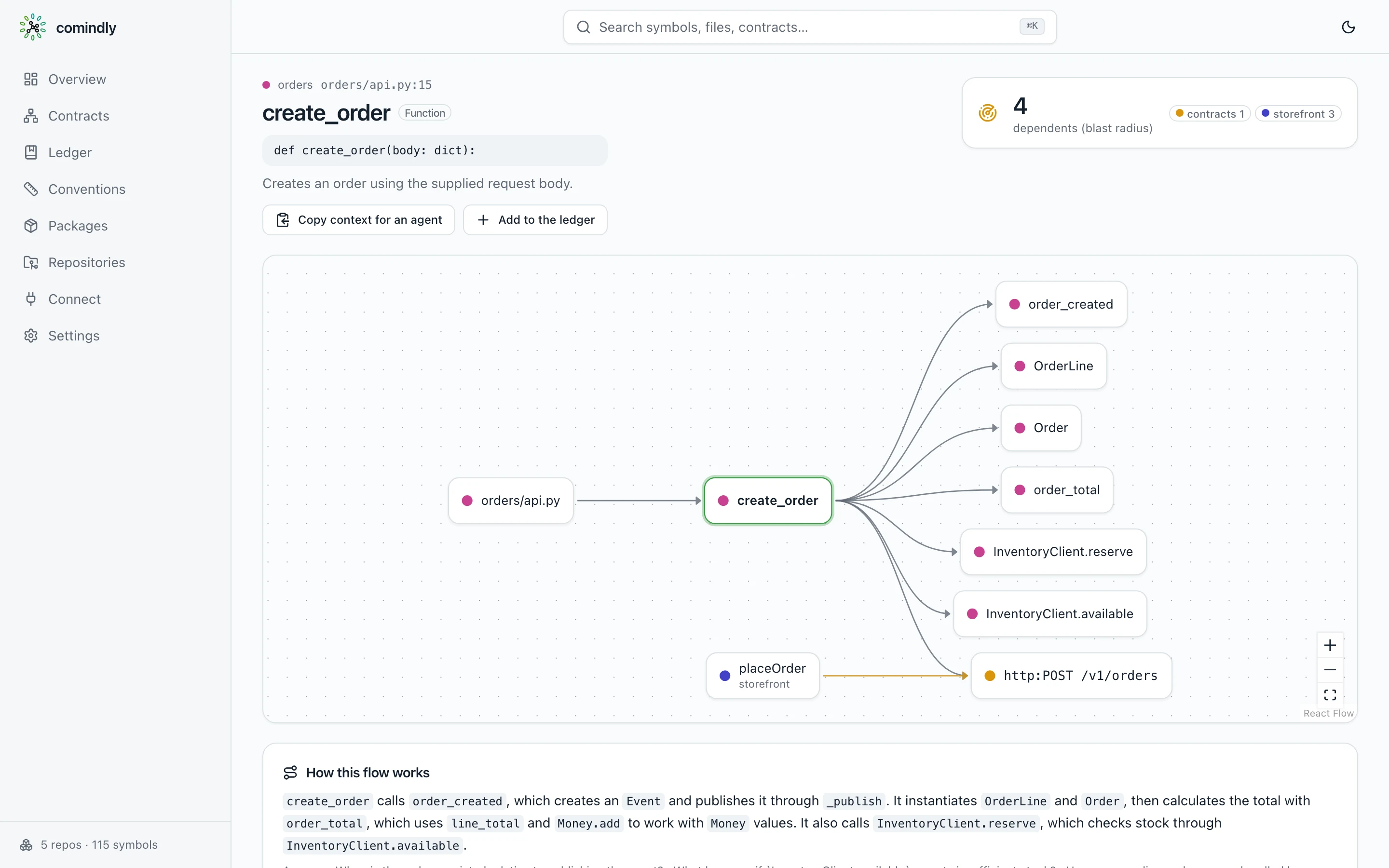
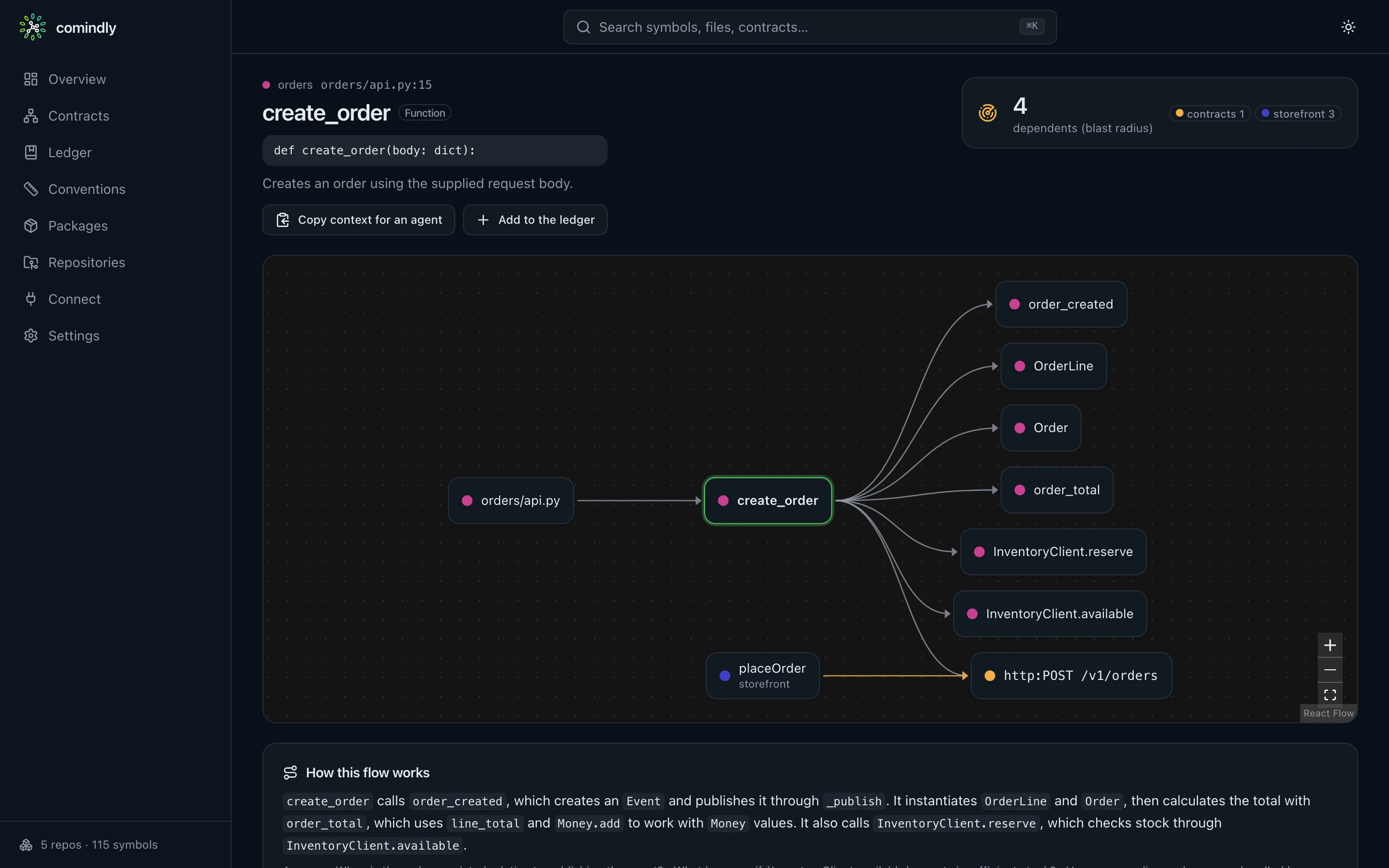
A symbol: its dependency graph, blast radius, summary and flow walkthrough
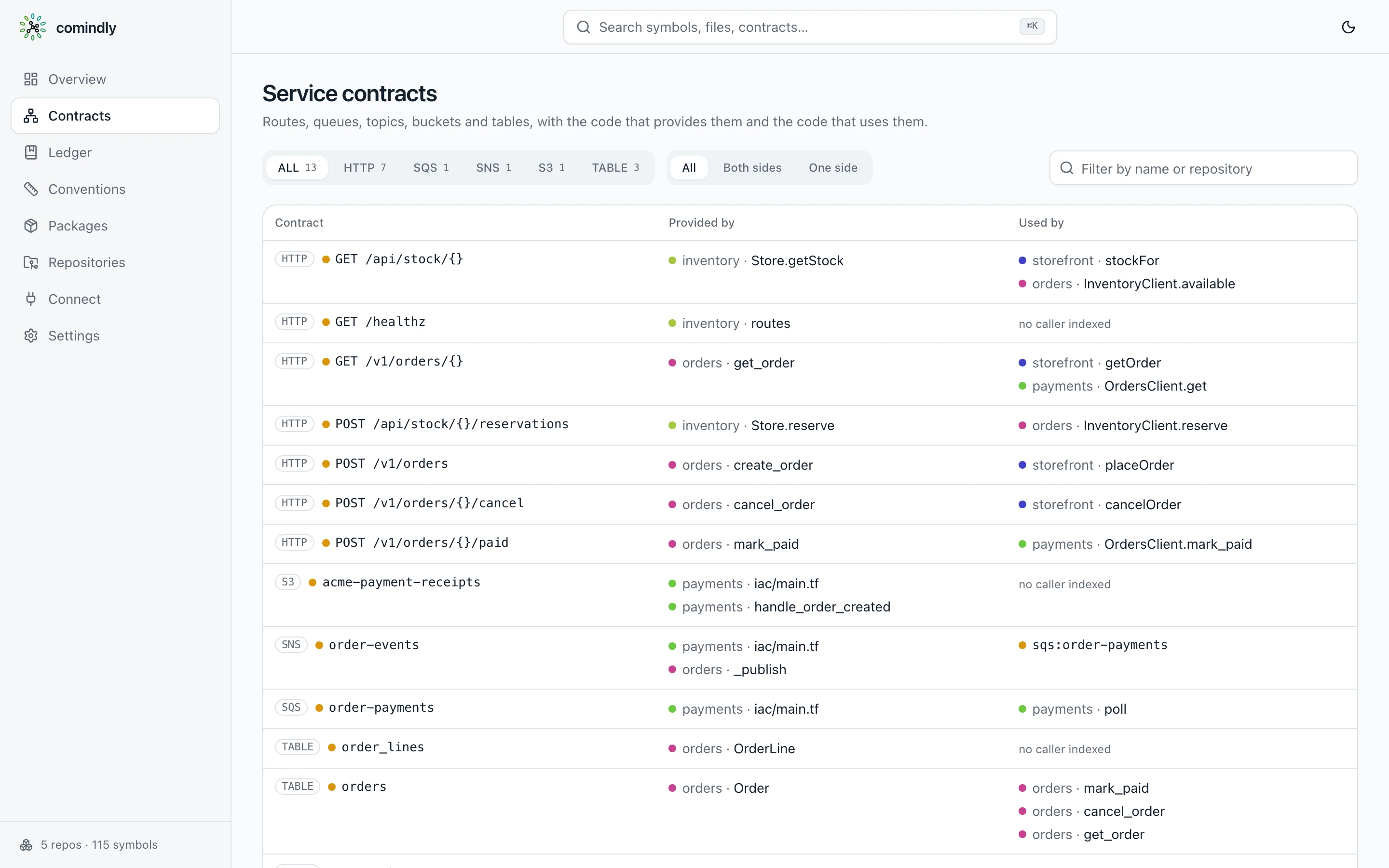
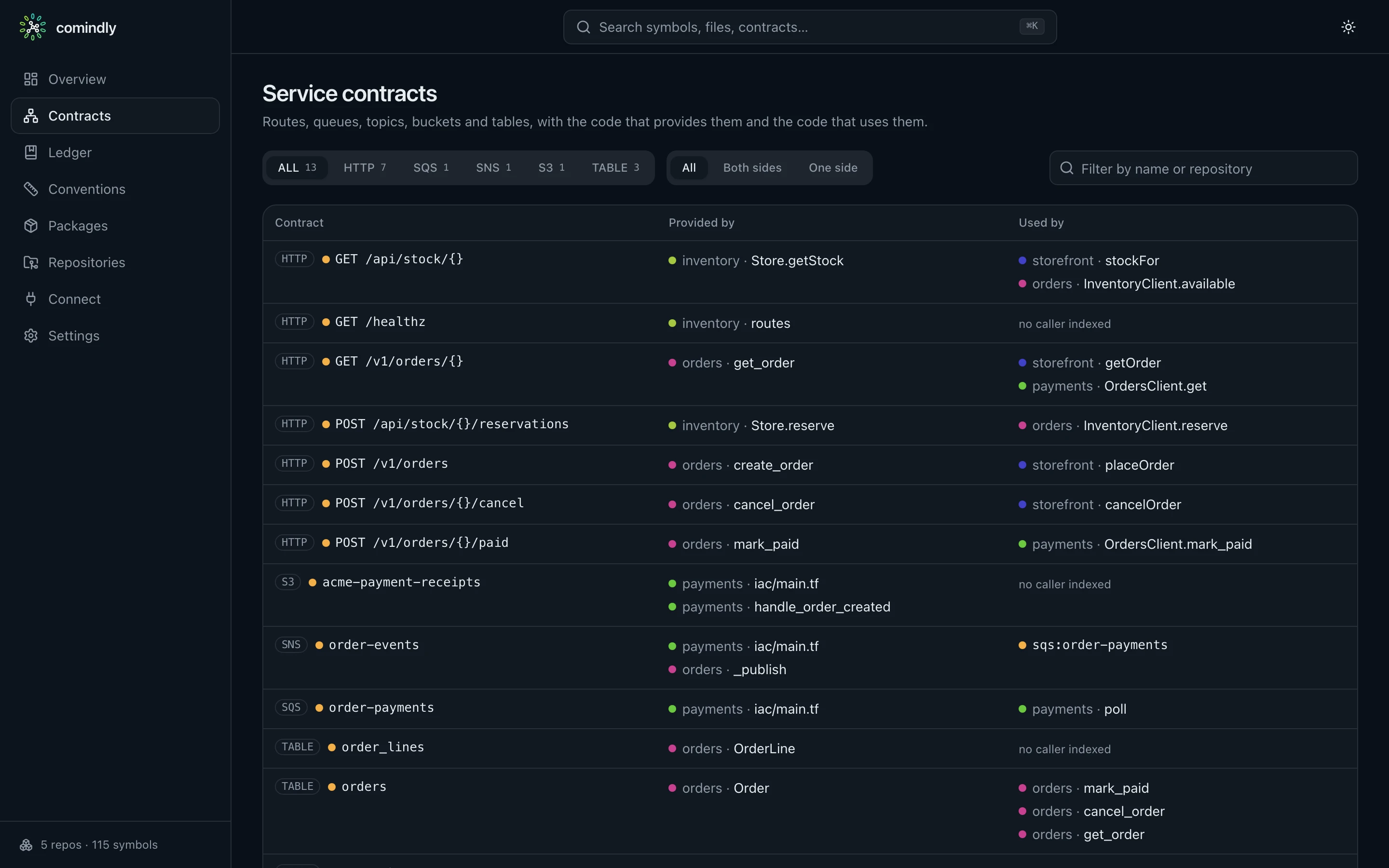
Contracts: routes, topics, queues, buckets and tables with providers and consumers
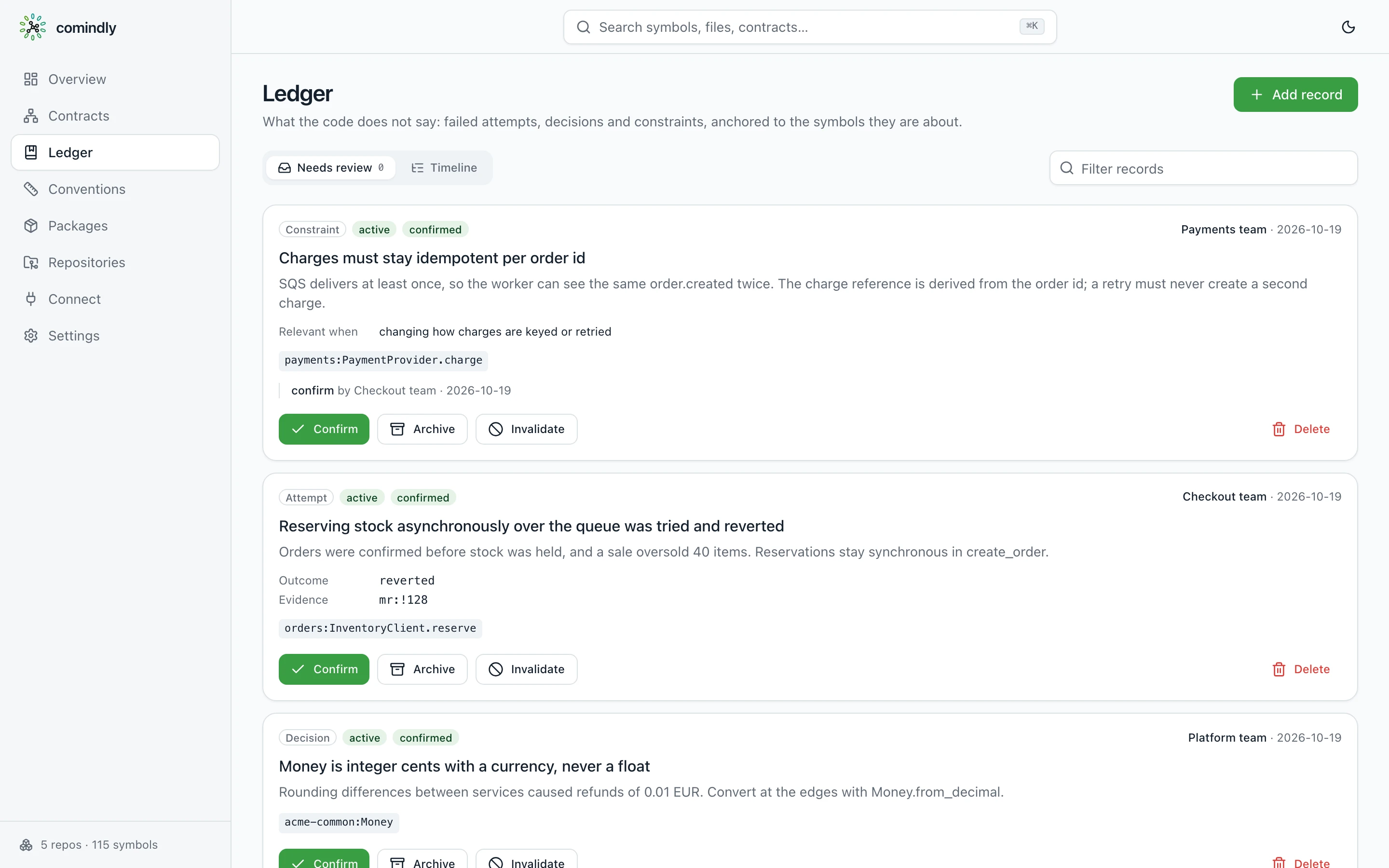
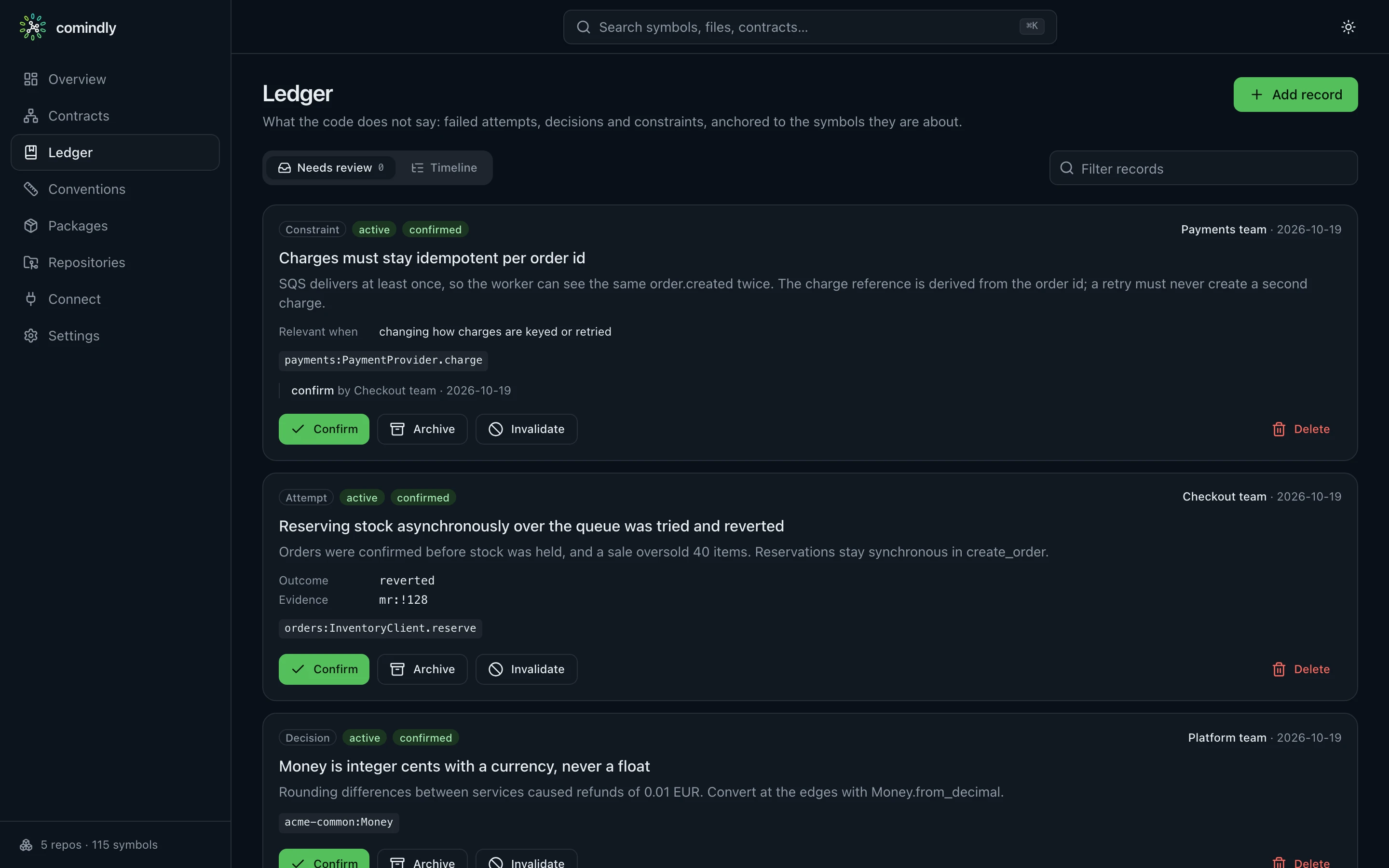
Ledger: constraints, failed attempts and decisions, with who wrote and confirmed them
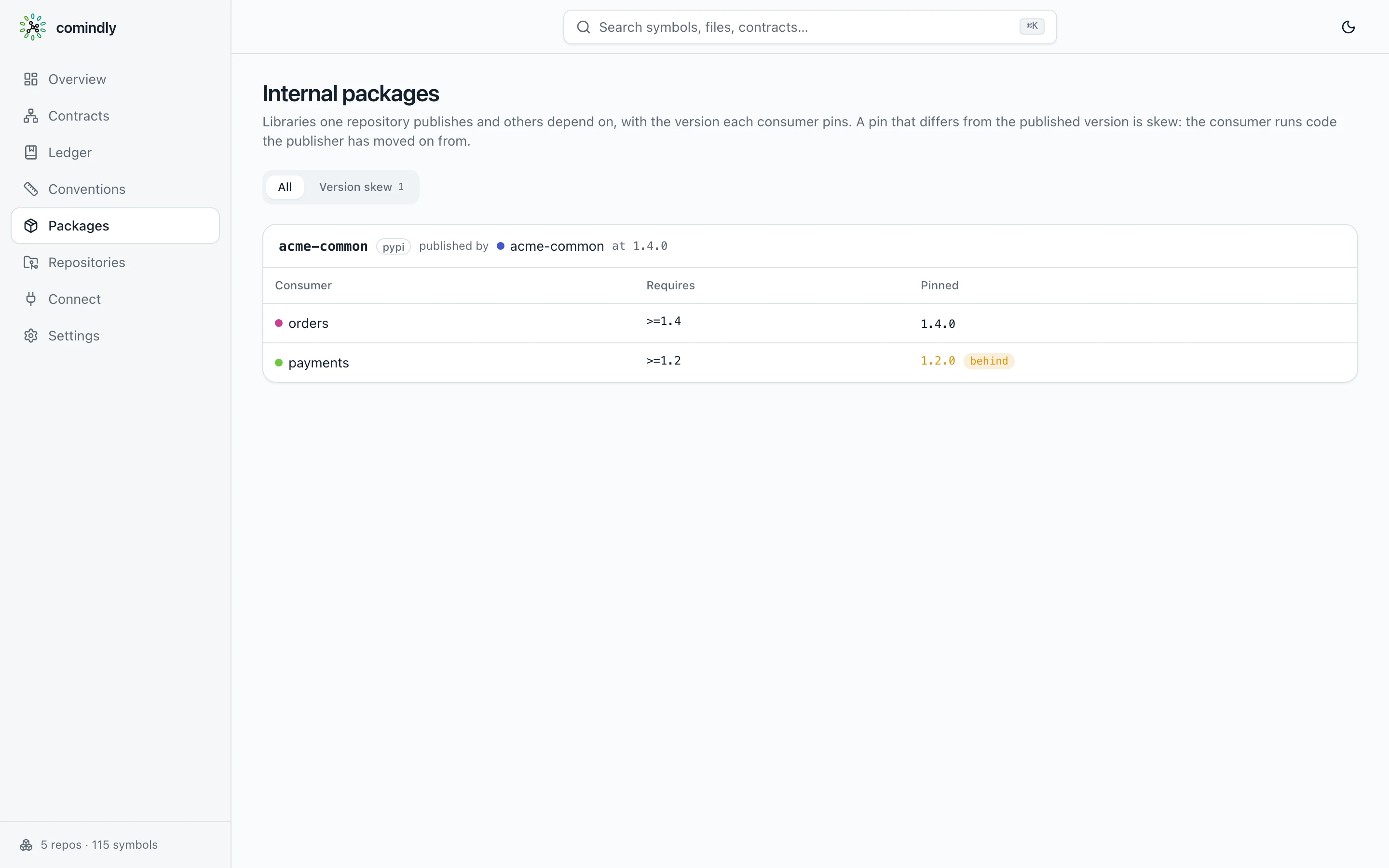
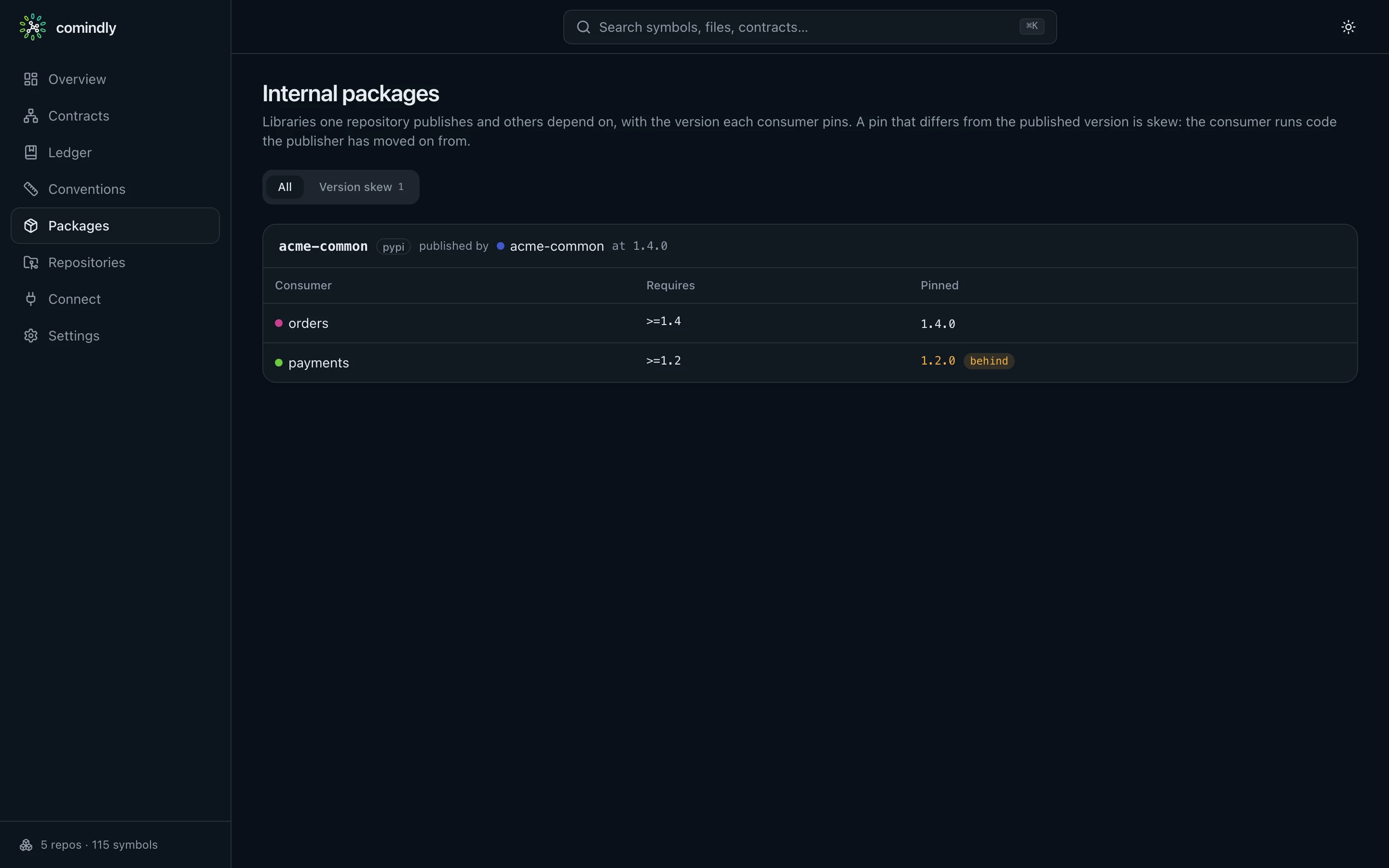
Packages: an internal package and a consumer pinned behind its publisher
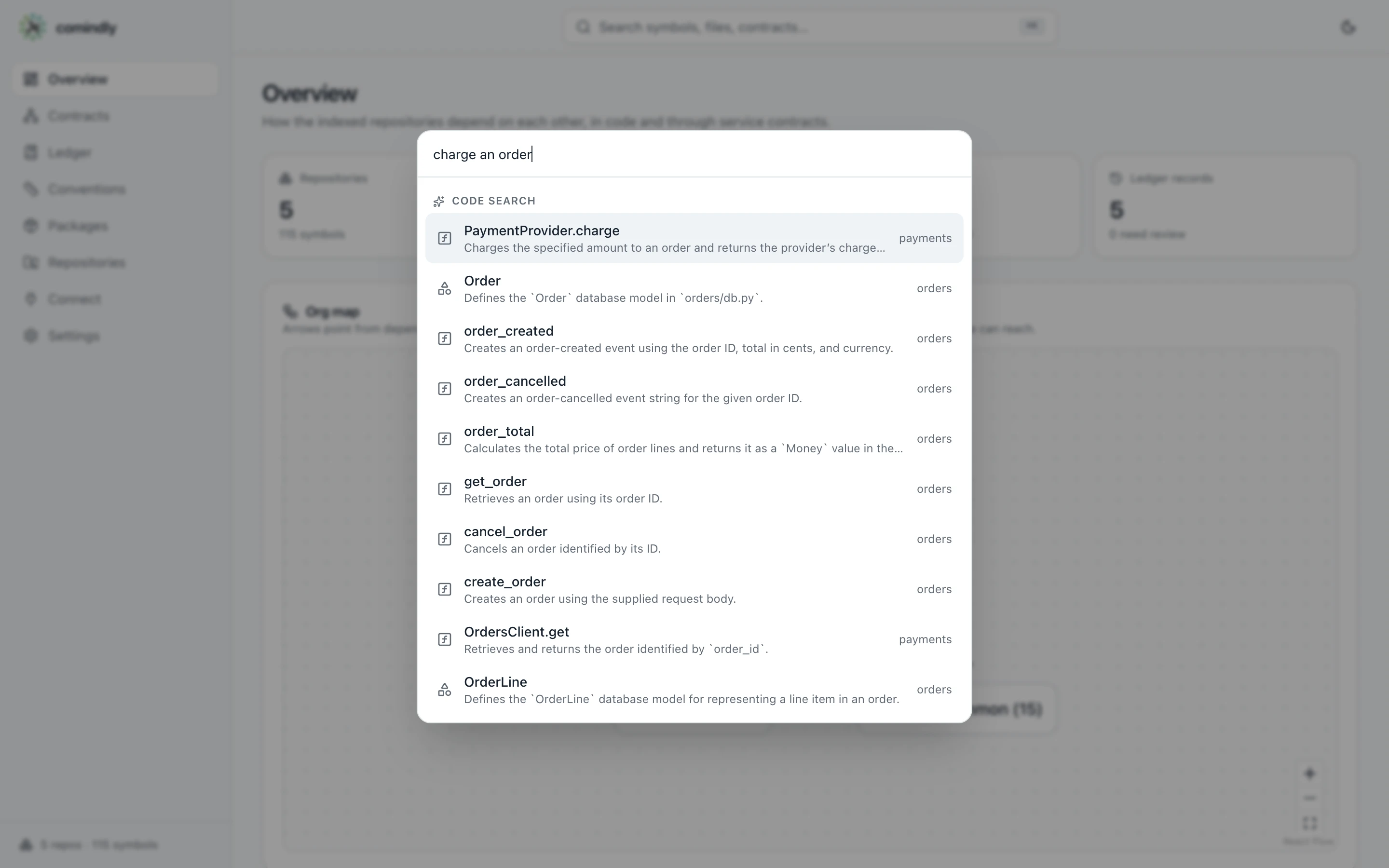
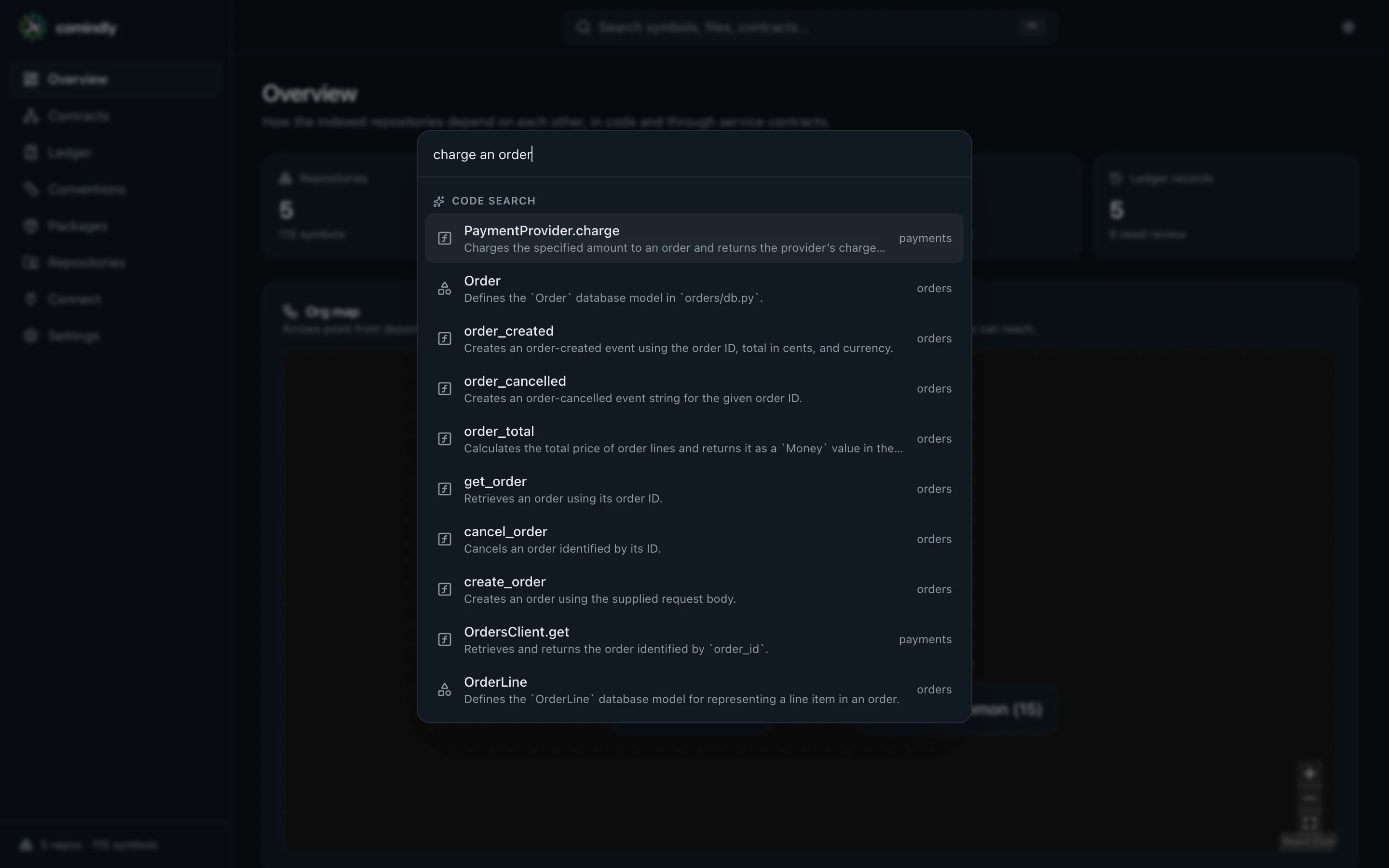
Search: describe what you are looking for
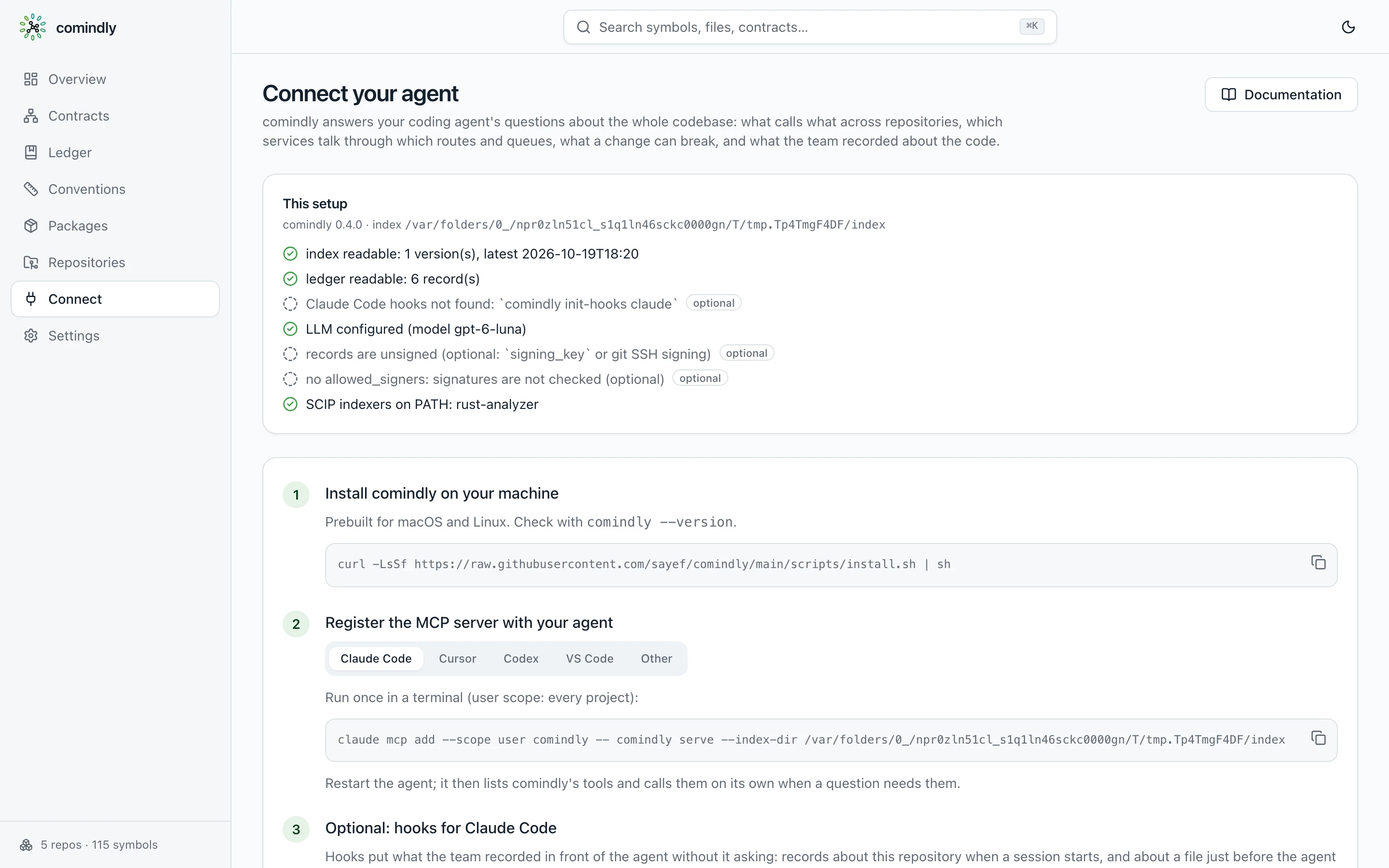
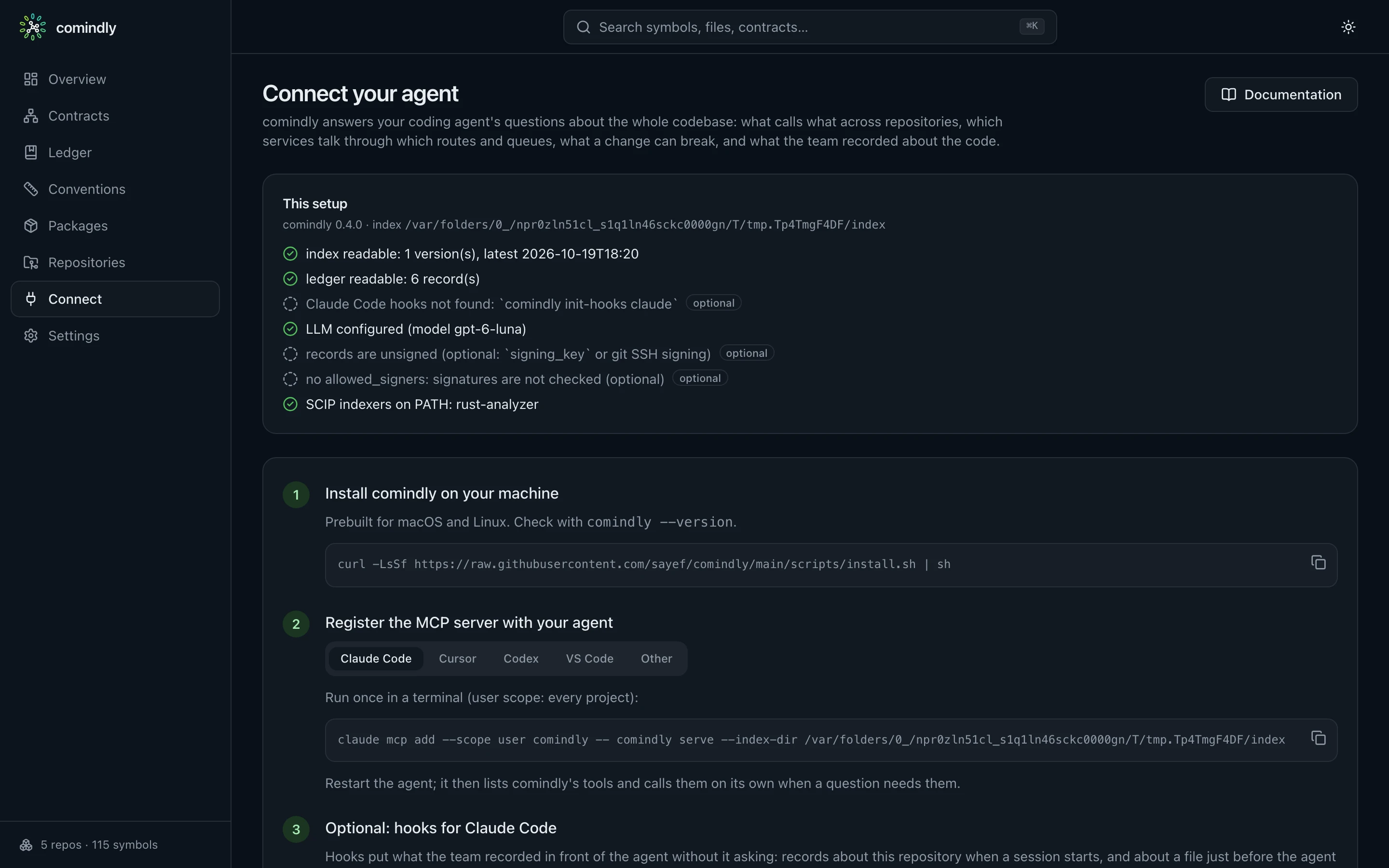
Connect: register the MCP server with your agent
Press ⌘K (Ctrl K) anywhere to search: by name, and by describing what you are
looking for ("where do we retry HTTP calls"), which uses the same hybrid search as the MCP search
tool. Graphs scroll with the page; pinch or ⌘/Ctrl and scroll to zoom, drag to
pan. The theme follows the system and can be toggled. Against a read-only index, editing is hidden.
Terminal UI
comindly ui is the compact terminal view: overview, contracts, ledger (with a timeline), explorer and
conventions.